

When a computer gets slow, most of us think something is seriously going to break or that we’ll have to spend a lot of money on new parts. So, many of us look for fast solutions or advice on the internet. But unfortunately, a lot of that advice isn’t right.
In fact, many things people commonly believe will speed up your computer will actually slow it down.
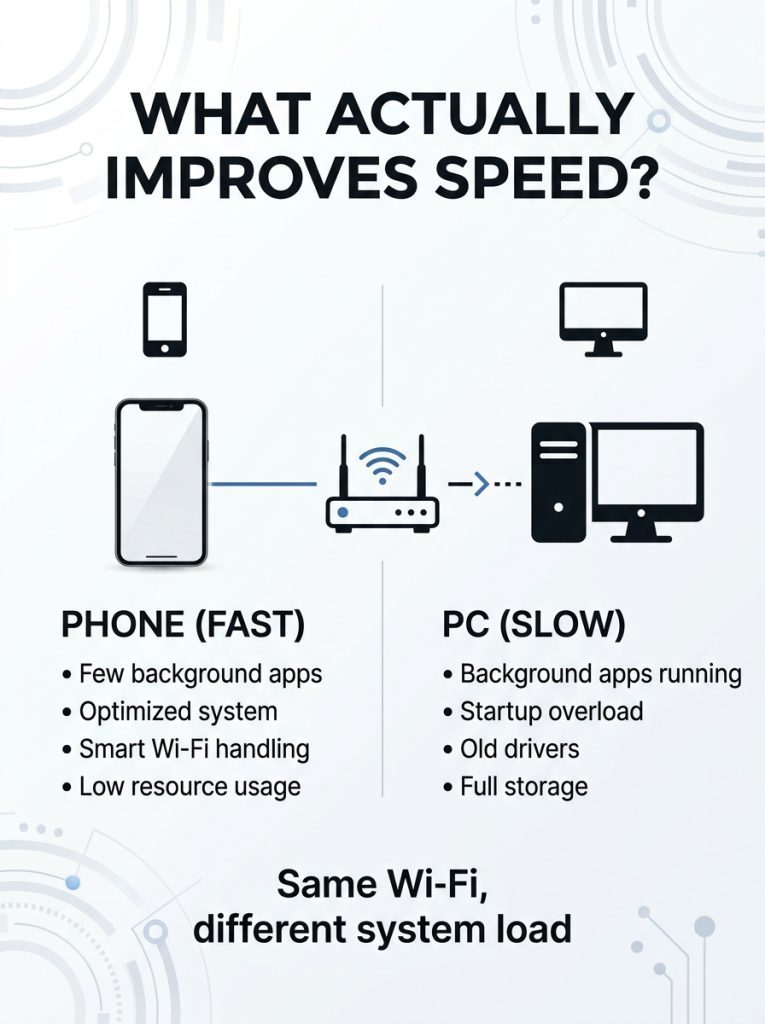
To really get your computer working at its best and keep it that way, you have to understand how computers today are put together. A lot of the time when things slow down, it’s not because of something being broken in the computer itself, but because of a lot of extra programs, things running in the background, or old ways of fixing problems.
This guide will tell you what’s wrong with the most common ideas about making your computer faster and explain what does work. You’ll find out a smarter way to tune up your computer’s performance and avoid messing things up for no reason.
Myth 1: More RAM Automatically Makes Your PC Faster
Many of us believe that if our computer is slow, just upgrading RAM will fix it immediately. But RAM is only useful if your computer is already struggling with having enough.
Hardware tests demonstrate that if you have enough RAM for what you are doing, getting more won’t make any difference. So, a computer with 16 gigabytes of RAM won’t be faster than one with 8 gigabytes if you’re only using 6 gigabytes for your everyday work, browsing, or other things.
Reality check:
- RAM helps multitasking, not raw speed
- CPU and storage often matter more
- Poor software tuning can slow down even high-RAM systems
Myth 2: Reinstalling Windows Is the Best Optimization Method
You must have heard that resetting your computer’s operating system will definitely speed things up. It might help for a little while, but it won’t fix the problem for good.
What’s really going on is that those performance problems will likely come back after you’ve reinstalled, because the things making it slow in the first place includes programs starting up automatically, applications working in the background, and settings that aren’t right are still there.
Better approach:
- Remove unnecessary startup programs
- Clean temporary files regularly
- Monitor background processes instead of wiping the system repeatedly
Myth 3: PC Hardware Always Gets Slower With Age
We often think computers get slower over time because the parts inside them get old and worn. But that’s usually not the case. Current computer processors (CPUs), solid state drives (SSDs) and graphics cards (GPUs) are built to work well for lots of years with how most of us use them. It’s what your computer does that shifts; you get more program updates, programs become more demanding, and in general, you ask your system to do more.
Most performance degradation is linked to:
- Software bloat
- Background services
- Storage fragmentation or low disk space
This is why performance tuning often restores speed without replacing hardware.
Myth 4: Antivirus Alone Will Keep Your PC Fast
Having security software is vital, but it won’t make your computer run better. Lots of people think that just by having antivirus protection running, their machine will be both safe and quick.
However, something being slow has many potential reasons, and it’s not typically the antivirus itself that’s the main problem when a computer gets sluggish. Security and improving performance are different things.
However, even a virus-free PC can slow down due to:
- Excess startup programs
- Resource-heavy apps
- Browser tab overload
Myth 5: Cleaning the Registry Boosts Performance
We often see registry cleaners as vitally important for speeding up your computer, yet recent tests don’t show they actually make much, if any, difference in how fast things run.
Deleting things from the registry almost never changes speed because Windows doesn’t use the registry for doing things as it does them, unlike older computers.
Reality:
- Registry cleaning has minimal impact
- Risk of system instability exists
- Focus on real bottlenecks instead (RAM, CPU, disk usage)
Myth 6: Closing Background Apps Always Improves Speed
While it seems logical, aggressively closing background apps is not always helpful. Modern operating systems are designed to manage memory efficiently.
Shutting down essential services can actually slow things down because:
- Apps reload when reopened
- System services restart automatically
- Memory caching benefits are lost
A smarter approach is selective optimization, closing only heavy or unnecessary apps rather than everything.
Myth 7: Performance Optimization Requires Expensive Tools
Many of us think that buying fancy programs to get your computer running better. But actually, most of the speed boost you’ll see comes from fairly easy things you do to your system, for example, controlling which programs automatically start when you turn on your computer, deleting files you don’t use to free up space, and getting the newest versions of your computer’s drivers.
In fact, research that wasn’t done by companies selling something shows you can improve your computer’s performance by as much as 25% just by setting things up correctly. You don’t even have to get new parts for your computer.
Why Most Myths Still Spread
- Quick Fixes Appear Effective
Performance improvement ideas that don’t really work stick around not because they do work, but because they seem to. When a computer starts running slowly, we naturally look for quick, obvious things to do. Removing files, shutting down programs or reinstalling software makes it appear better right away, but often doesn’t fix what’s truly causing the problem. This leads to a mistaken belief that you’ve improved performance for good.
- Many Myths Come From Outdated Advices
A lot of these ideas are also based on old advice. Many of the common tips you’ll find online used to be useful for older computer systems which had much more limited hardware. Cleaning the registry or trying to manage your computer’s memory by hand were more helpful in early editions of Windows, but now your computer does those things on its own.
- People Prefer Simple Solutions
How people search for solutions is important too. Research by Pew Research into how people use the internet shows over 70 percent of people would rather have a fast solution to a device problem, rather than a complicated, technical explanation. This means simple advice is favored over actually making the system work better.
- Social Media Increases Misinformation
Social media and online discussions spread incorrect information even faster. A single “speed up your computer” trick that goes viral can be seen by millions, even if it’s completely incorrect. What’s more, many of these myths continue because they are repeated by people who aren’t experts, which gives them a false appearance of being trustworthy. \
How TurboCharger Helps Boost Performance
Smart programs are making it easier to get your computer to run at its best by simplifying management. MindSuite offers TurboCharger, one of these, and it’s meant to find and fix typical computer slowdowns for people who aren’t computer experts.
Instead of guessing at fixes one by one, these kinds of programs make improving performance more of a step-by-step process using a careful look at your system and what it suggests.
Key ways it supports performance optimization:
- System Analysis: Helps identify processes and applications that may be slowing down performance
- Startup Optimization Suggestions: Highlights unnecessary startup programs that affect boot speed
- Background Resource Insights: Provides visibility into apps consuming excessive CPU or memory
- Storage Efficiency Guidance: Helps users understand what is taking up space and how to manage it
- Performance Monitoring Support: Offers ongoing insights into system behavior over time
It doesn’t substitute for carefully improving things yourself, but rather works with what you’d normally do to provide you more information about your system. So, if you’d like to understand what’s slowing things down without having to check each running application individually, this is a good way to do it.
Conclusion
Lots of ideas about making your computer faster are based on old advice, or just because people don’t quite understand how computers today actually do their thing. Things like completely reinstalling Windows, getting more RAM, or using registry cleaners might appear to help, but when you really test them, they almost never fix what’s slowing your computer down for good.
More often than not, a sluggish computer isn’t damaged; it’s just trying to do too much with lots of programs that start automatically, stuff running in the background, and settings that aren’t working as well as they could.
Truly getting performance improved means finding the real causes of the problem by controlling what starts up with your computer, looking after your storage (your hard drive or SSD), and keeping your drivers updated. Rather than believing common ideas or trying fixes at random, you’d do much better to steadily improve your system in ways that give you a lasting, reliable speed boost.
Is your PC lagging? It’s time to give it a performance boost.